
Use cases for rental managers
See Brokik in action: five rental-manager stories
From client onboarding with commission, through tenant acquisition with an NDA, a monthly settlement with a VAT invoice and the owner portal, to settling utilities when tenants change — see real Brokik screens step by step.Five stories from a rental manager's day
Each story is a sequence of real Brokik screens — see what a manager's work looks like day by day.Onboarding
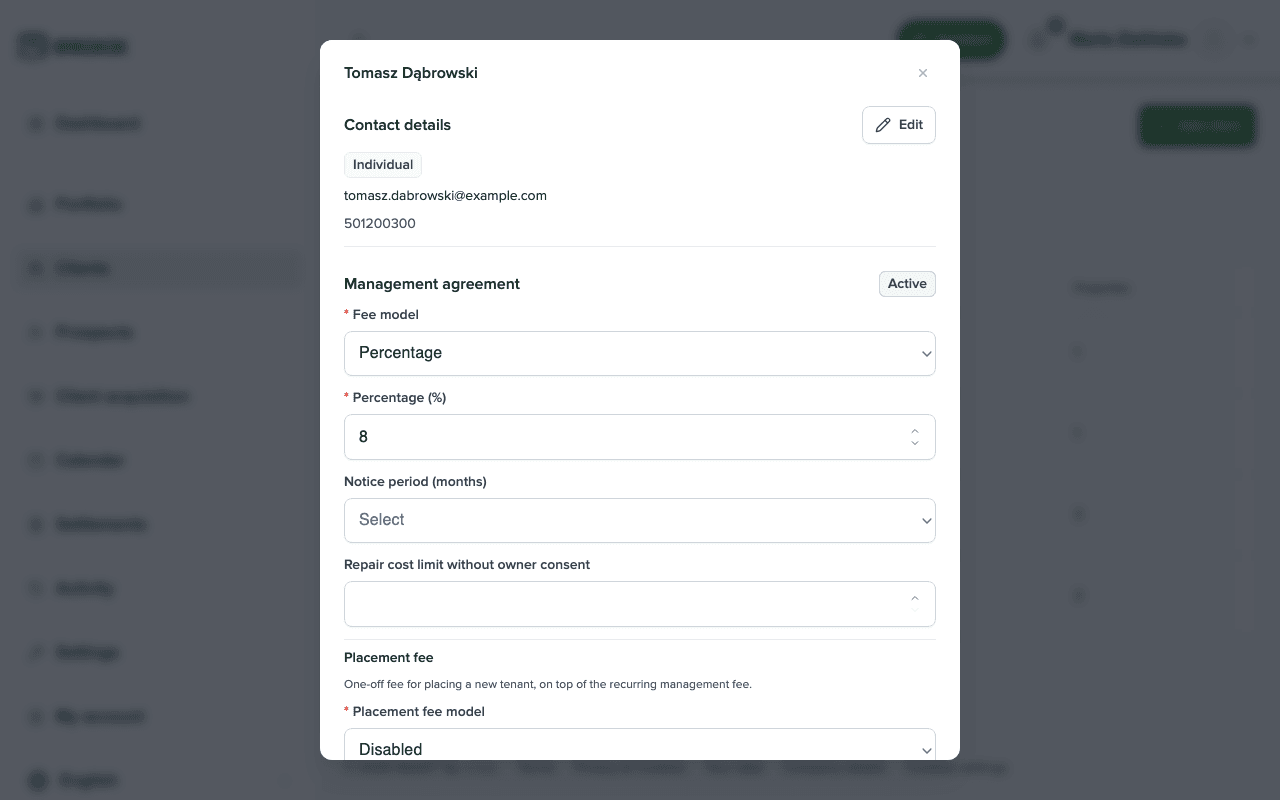
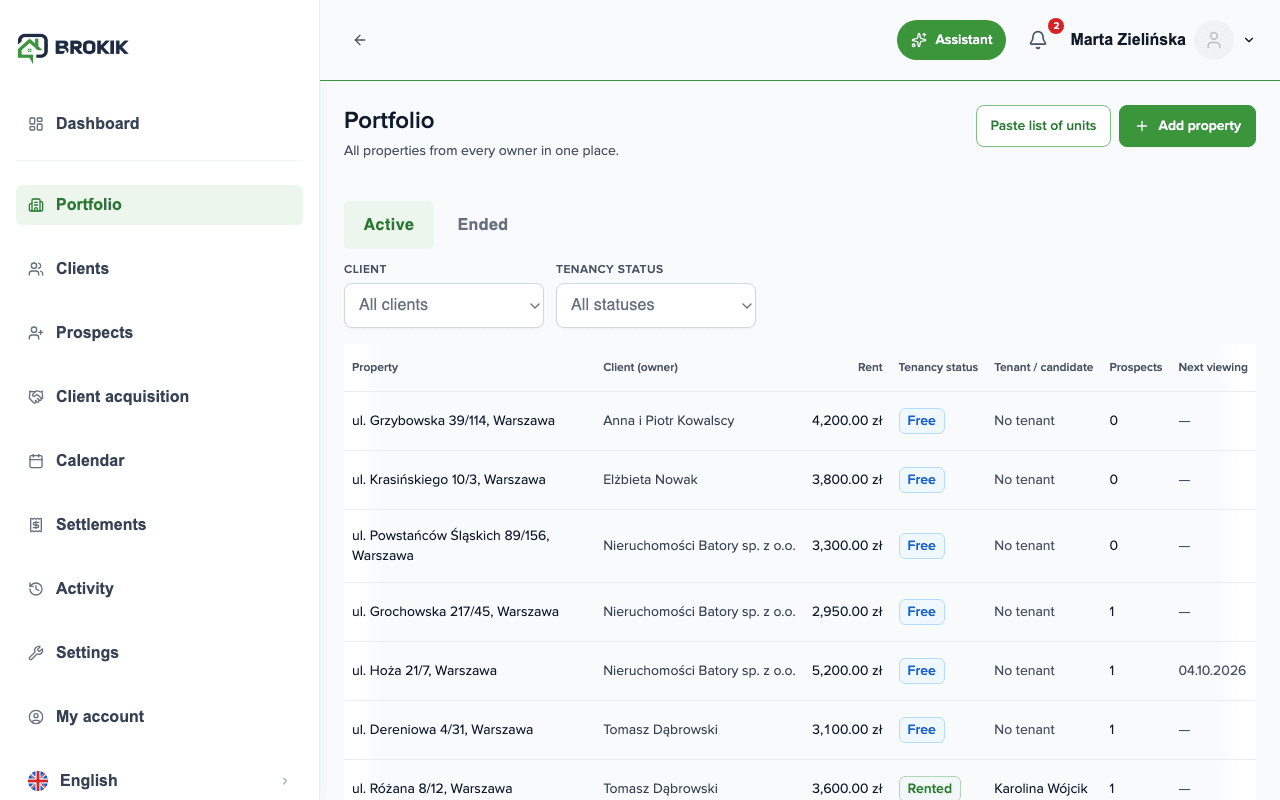
Client and portfolio onboarding
A new owner, a few apartments, commission terms to agree — this usually scatters across e-mails and spreadsheets.Add a client with a commission model, assign their units to the portfolio, and set the portal access scope — all in one record, and the client doesn't need an account.Create a manager account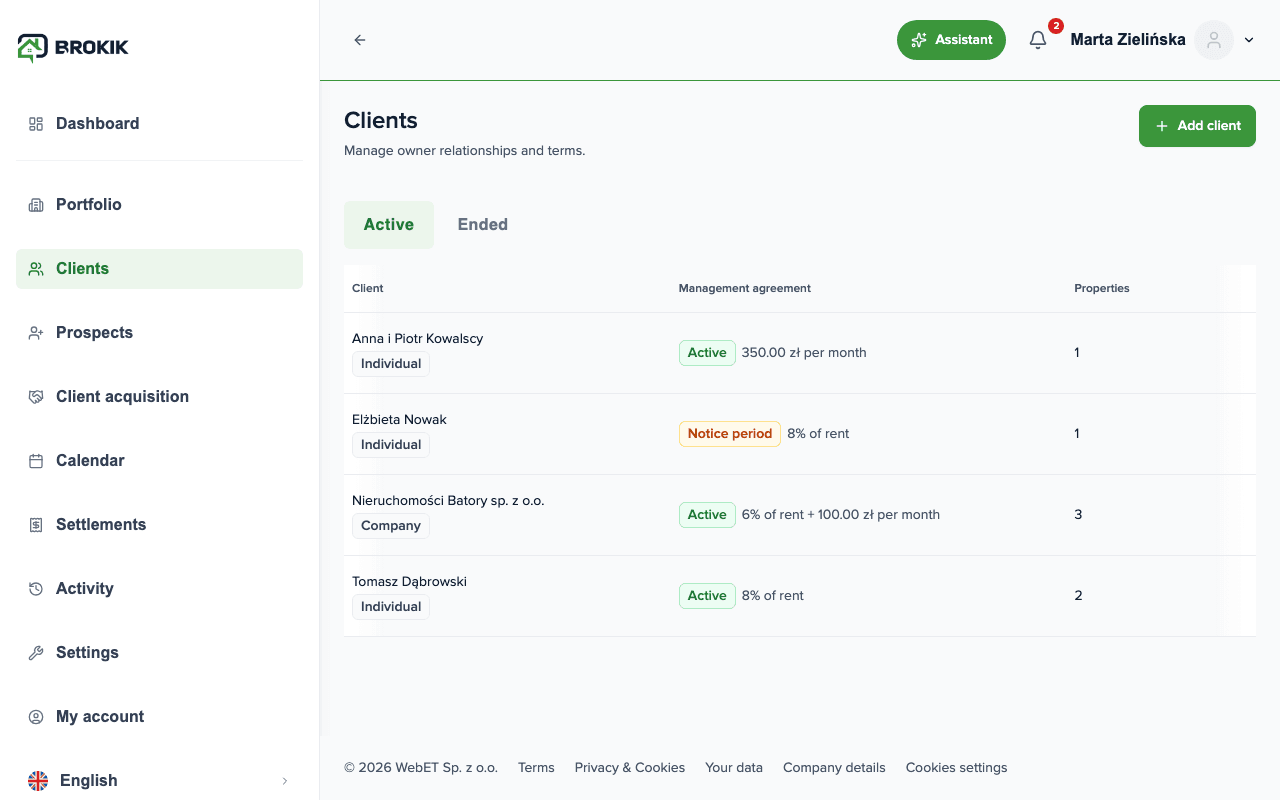
Tenant acquisition
Tenant acquisition with an NDA and viewings
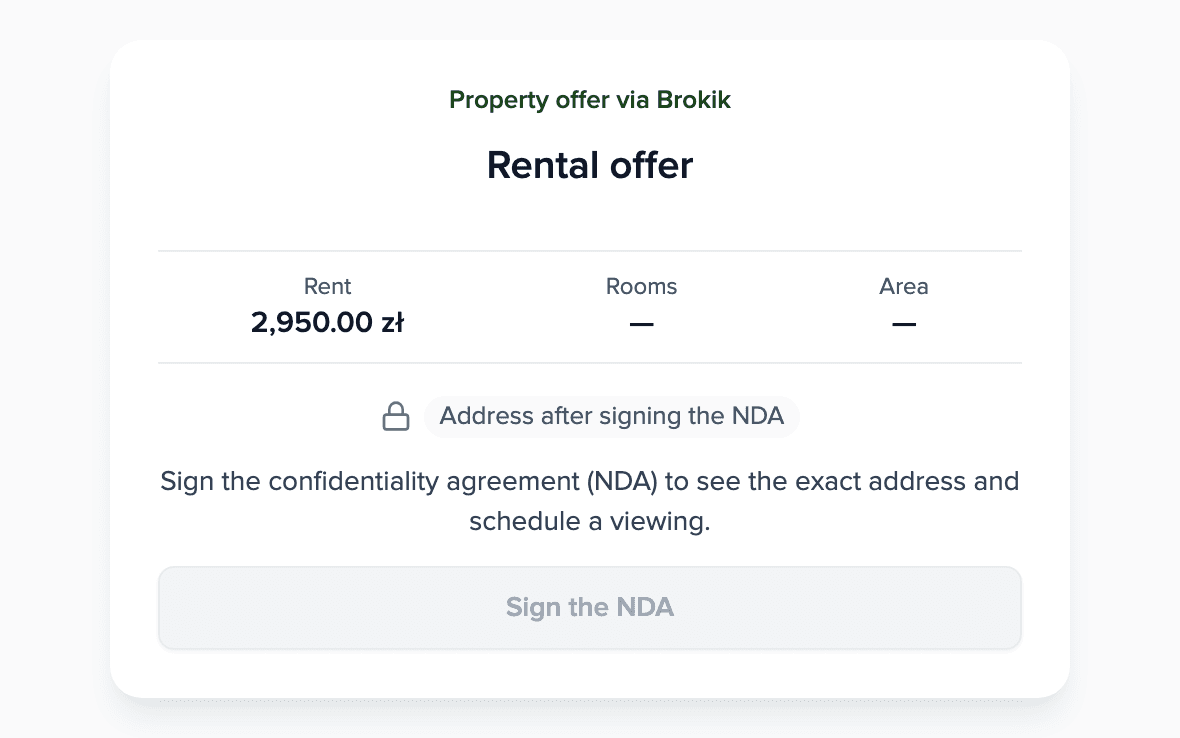
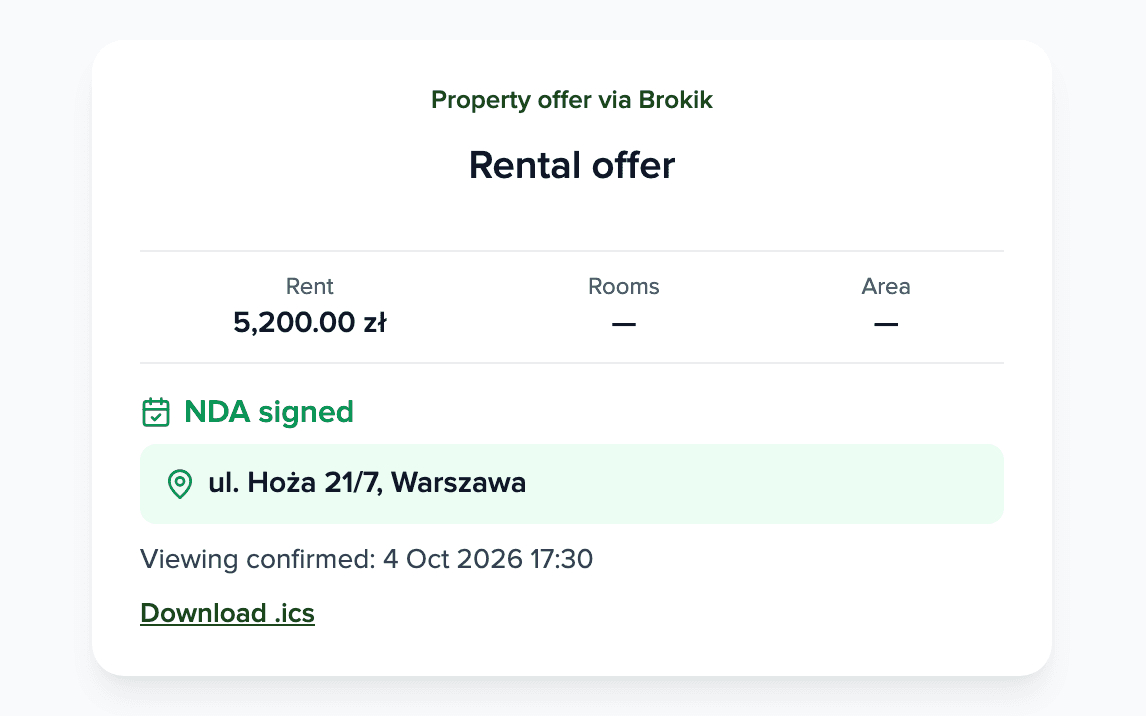
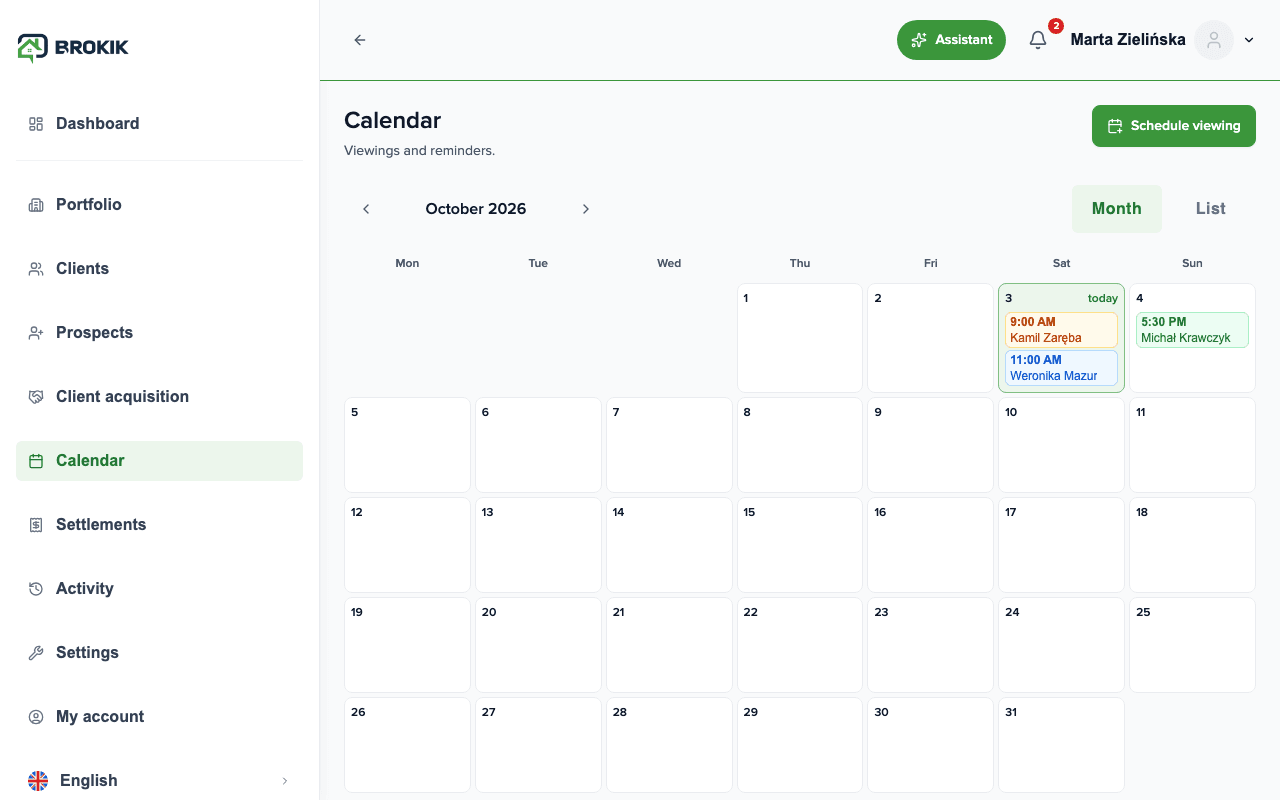
The address shouldn't circulate uncontrolled, and scheduling viewings by e-mail and phone eats up time.Run prospects on a kanban board, send an NDA to be signed online (the address is revealed only after signing), and schedule viewings in the calendar with automatic reminders.Create a manager account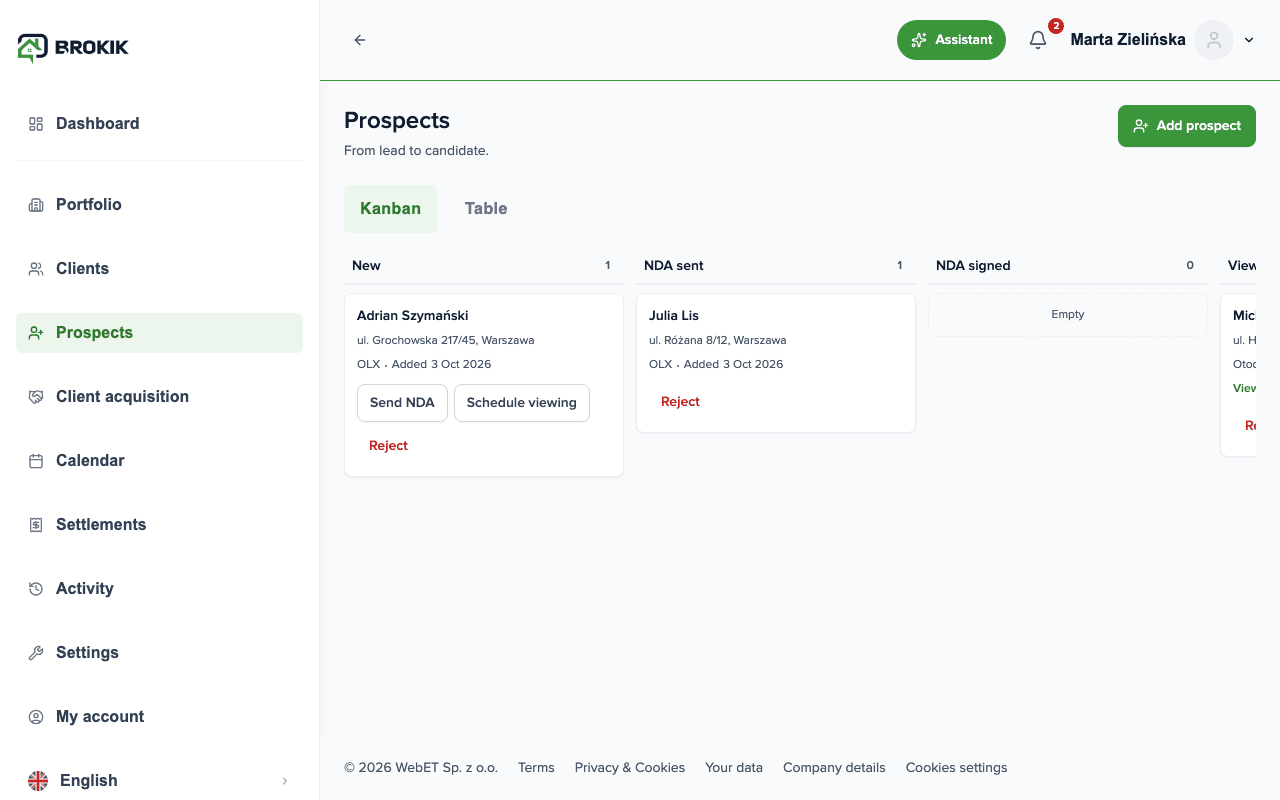
Settlement and invoice
Monthly settlement with a VAT invoice
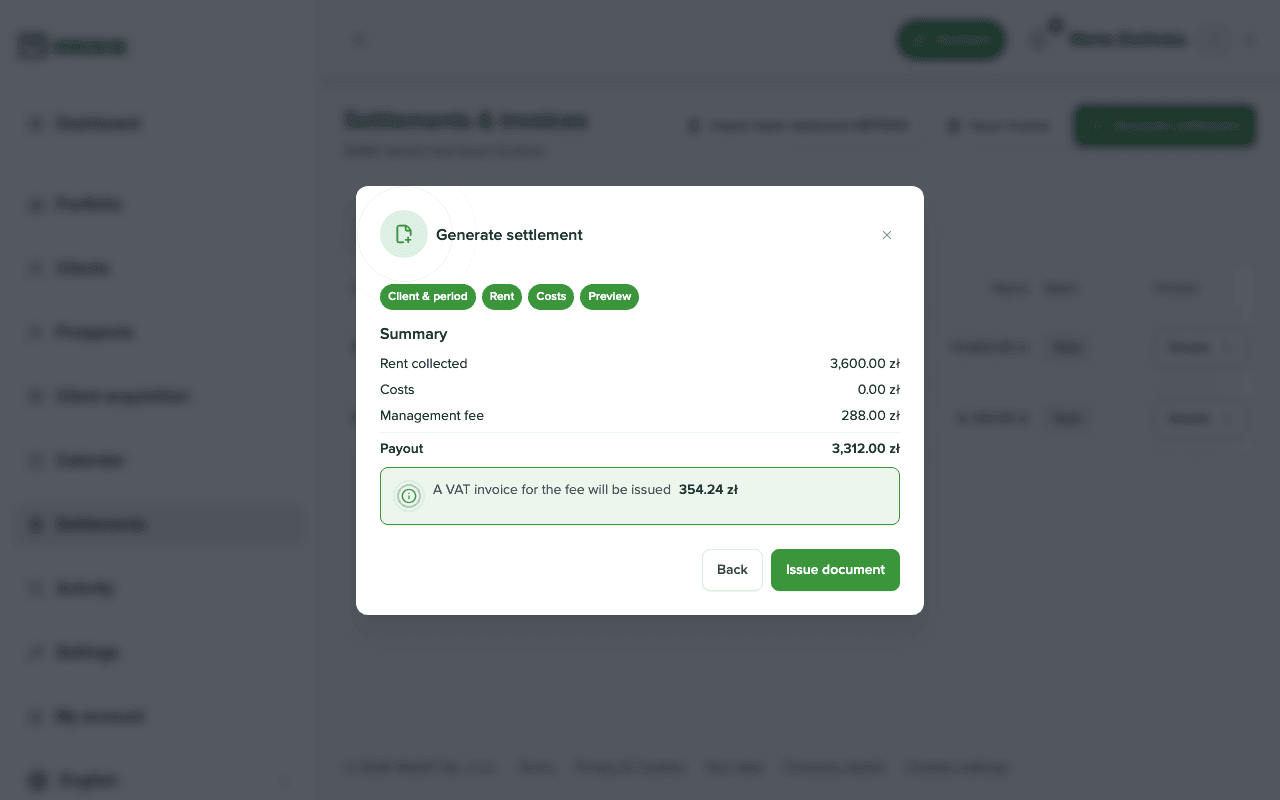
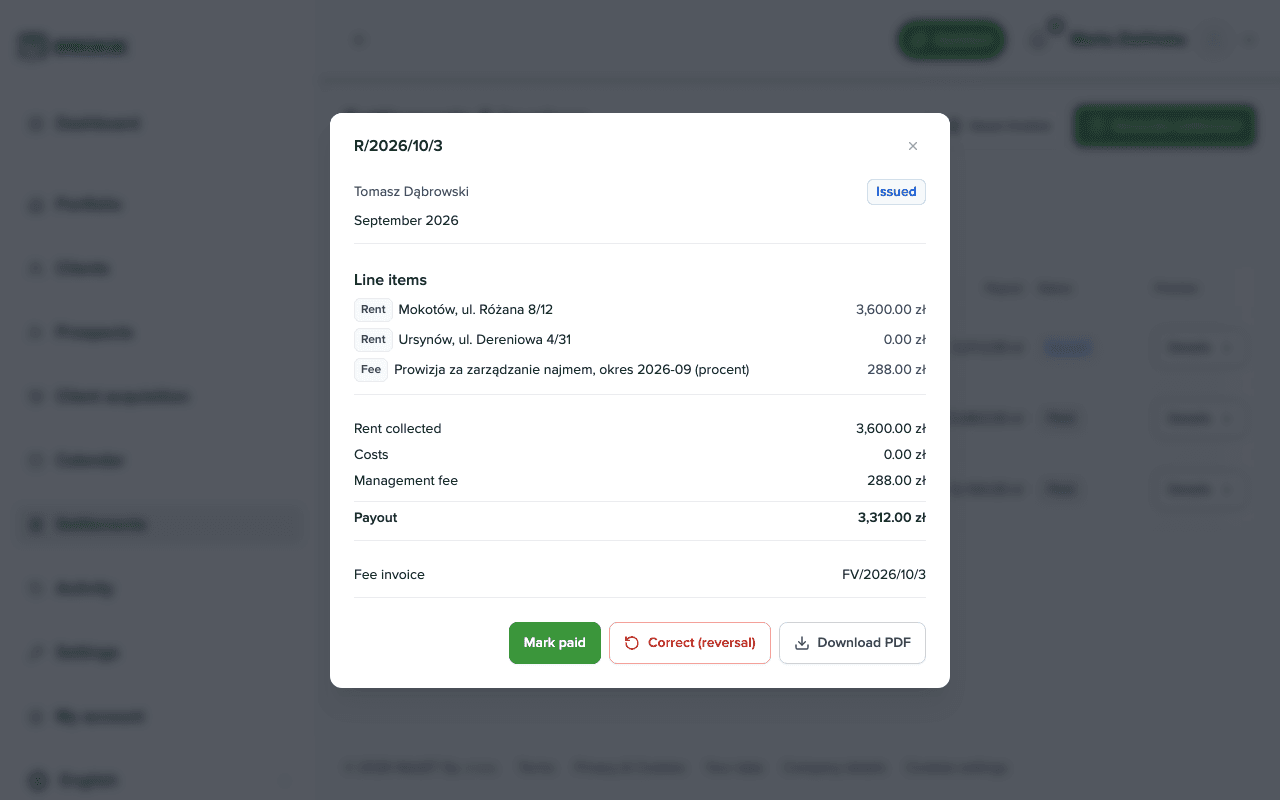
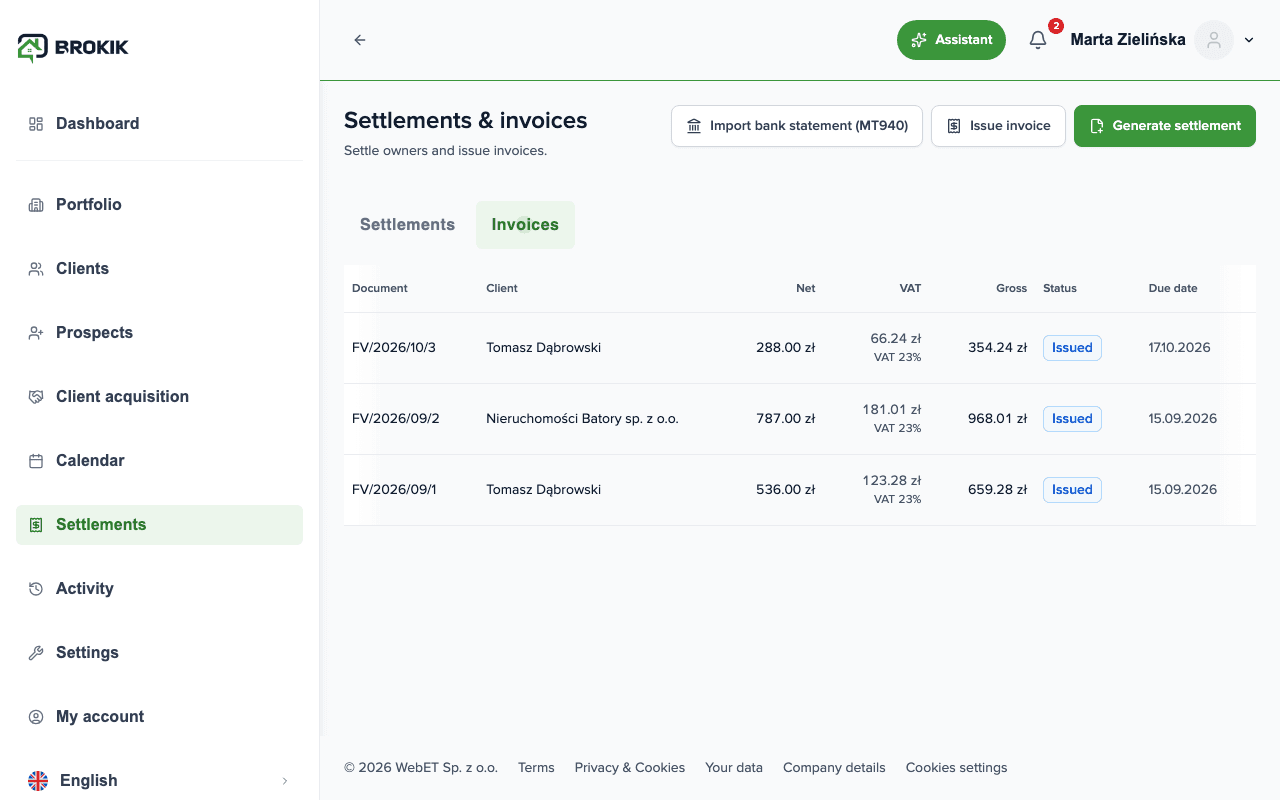
Adding up rents, costs, and commission and then issuing an invoice usually means hours in a spreadsheet.Go through the settlement wizard, see the "rents − costs − commission" preview, issue the settlement and, automatically, a VAT invoice for the management service.Create a manager account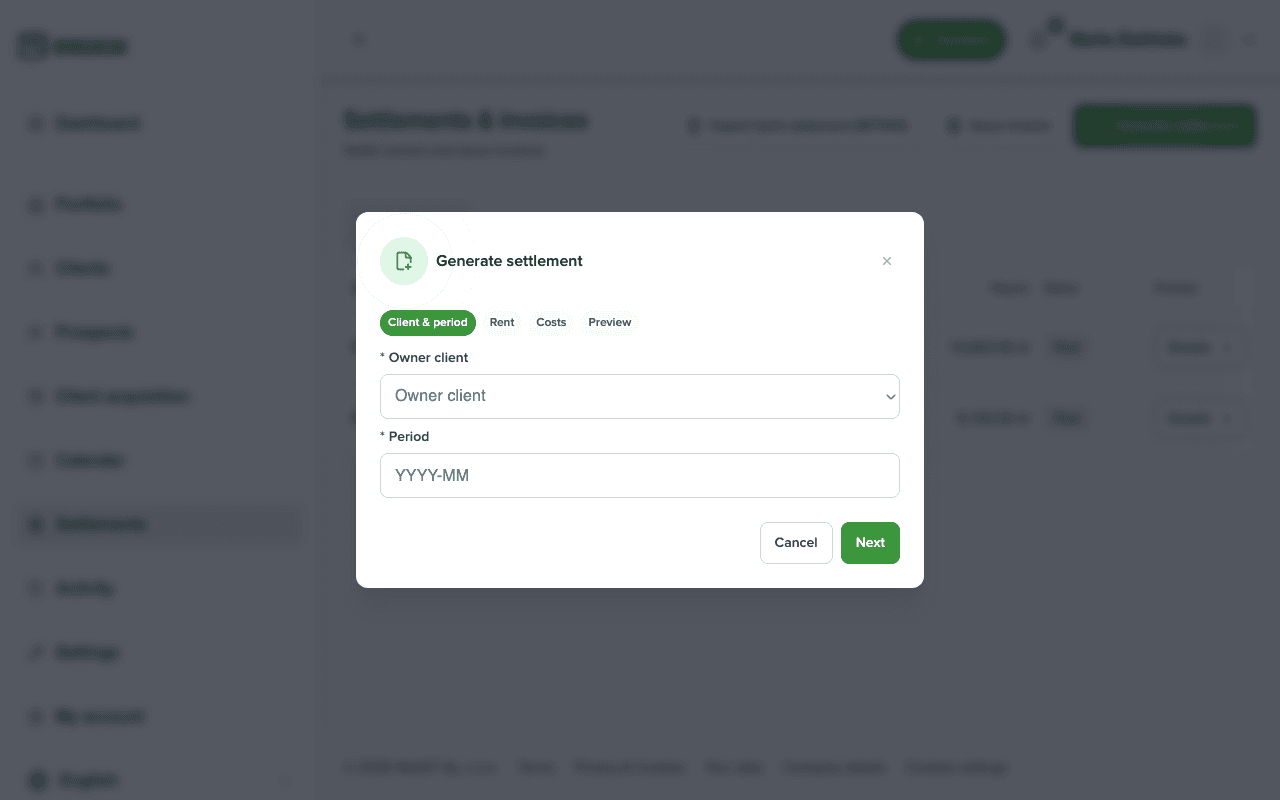
Owner portal
Owner portal within your sharing scope
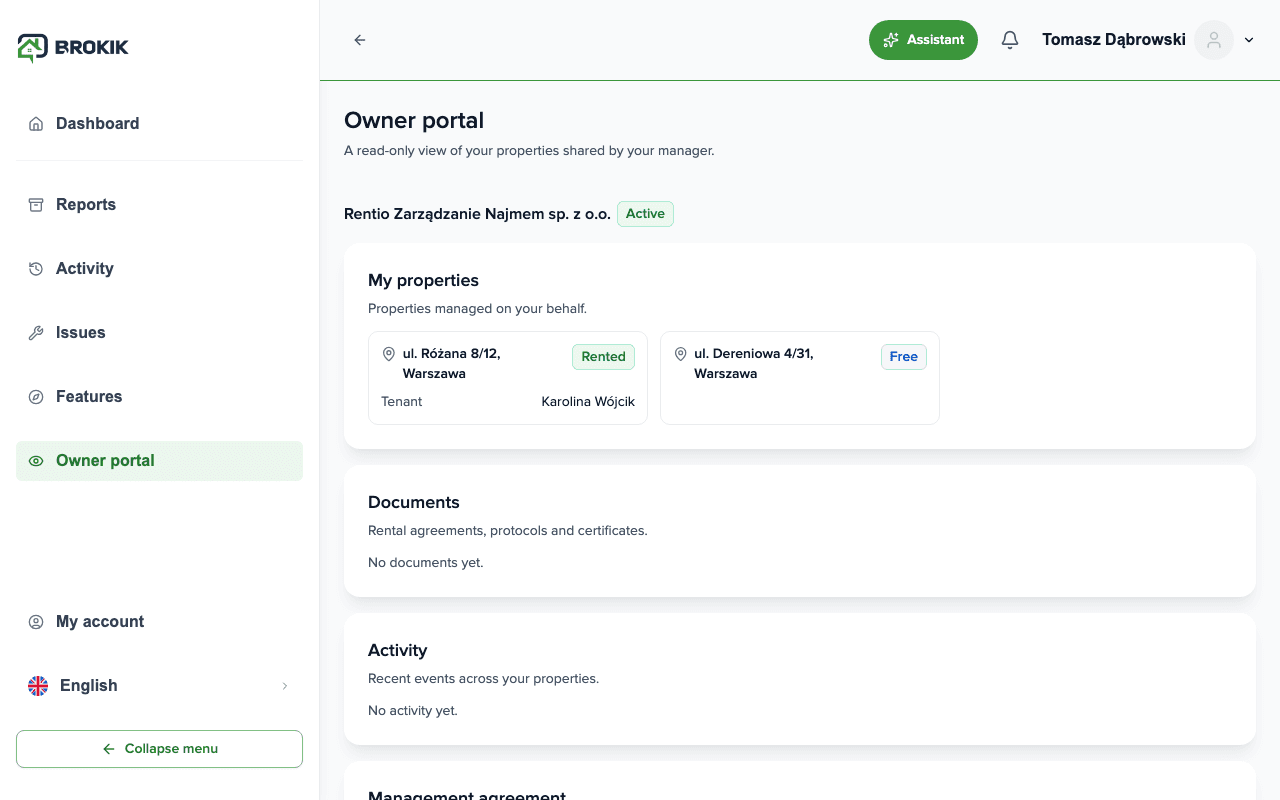
The owner wants to stay in the loop, but shouldn't see everything — the access scope must stay under the manager's control.Invite the owner to a read-only portal: they see properties, settlements, invoices, and documents exactly within the scope you set. Turn off "Finances" and settlements and invoices disappear from their view.Create a manager account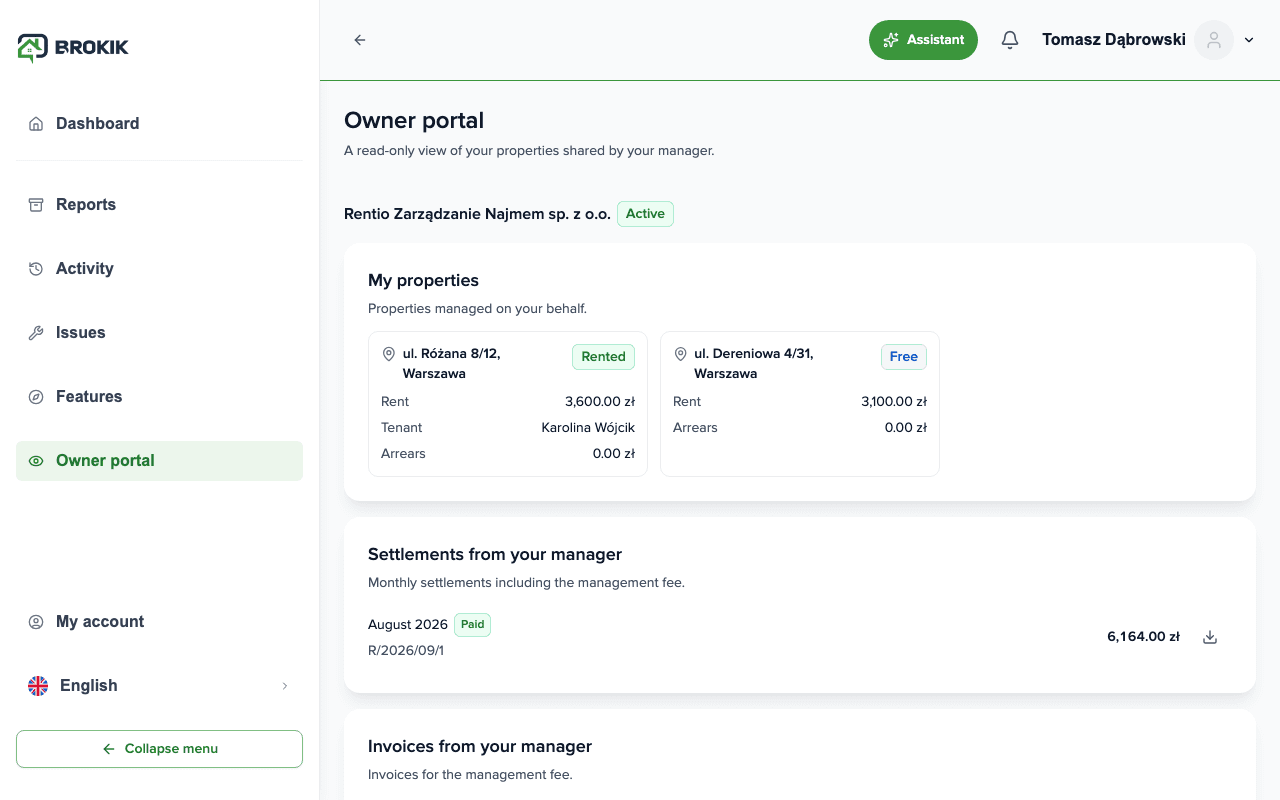
Tenant turnover
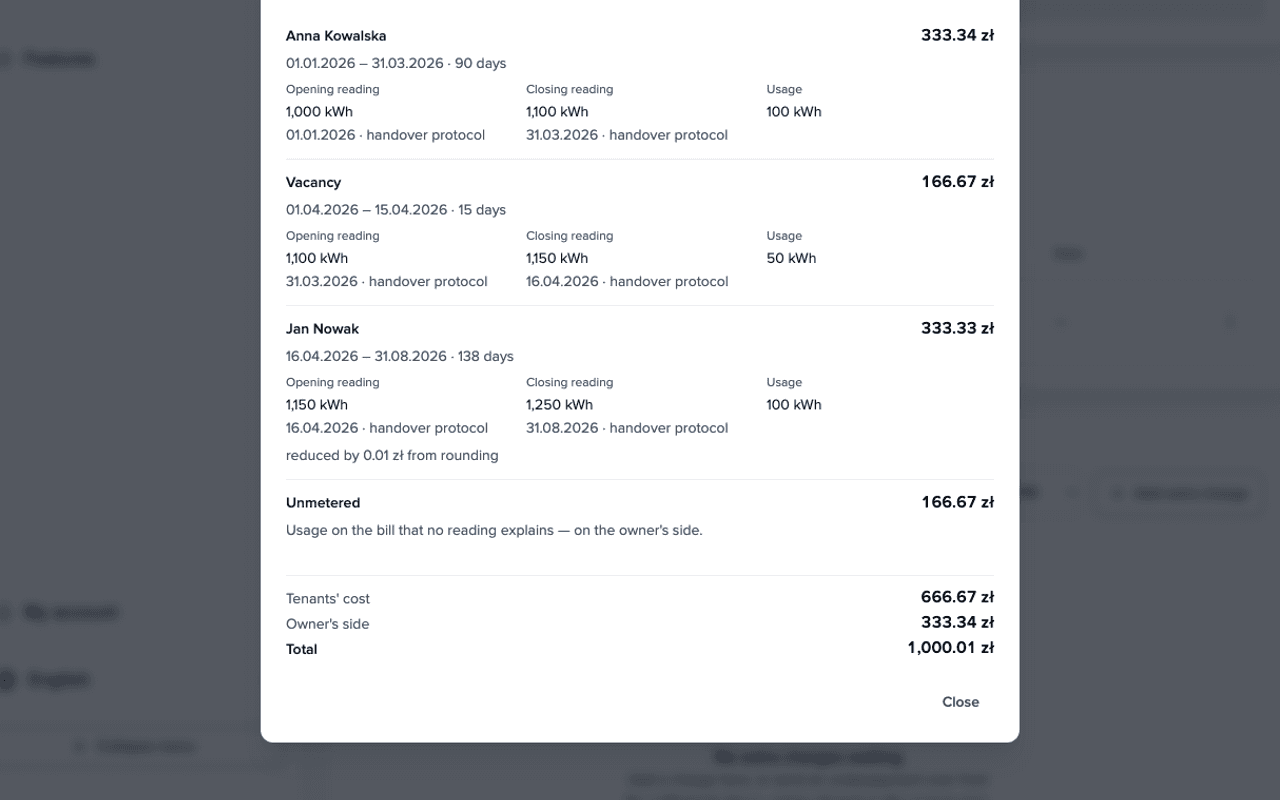
A tenant change without waiting for the utility bill
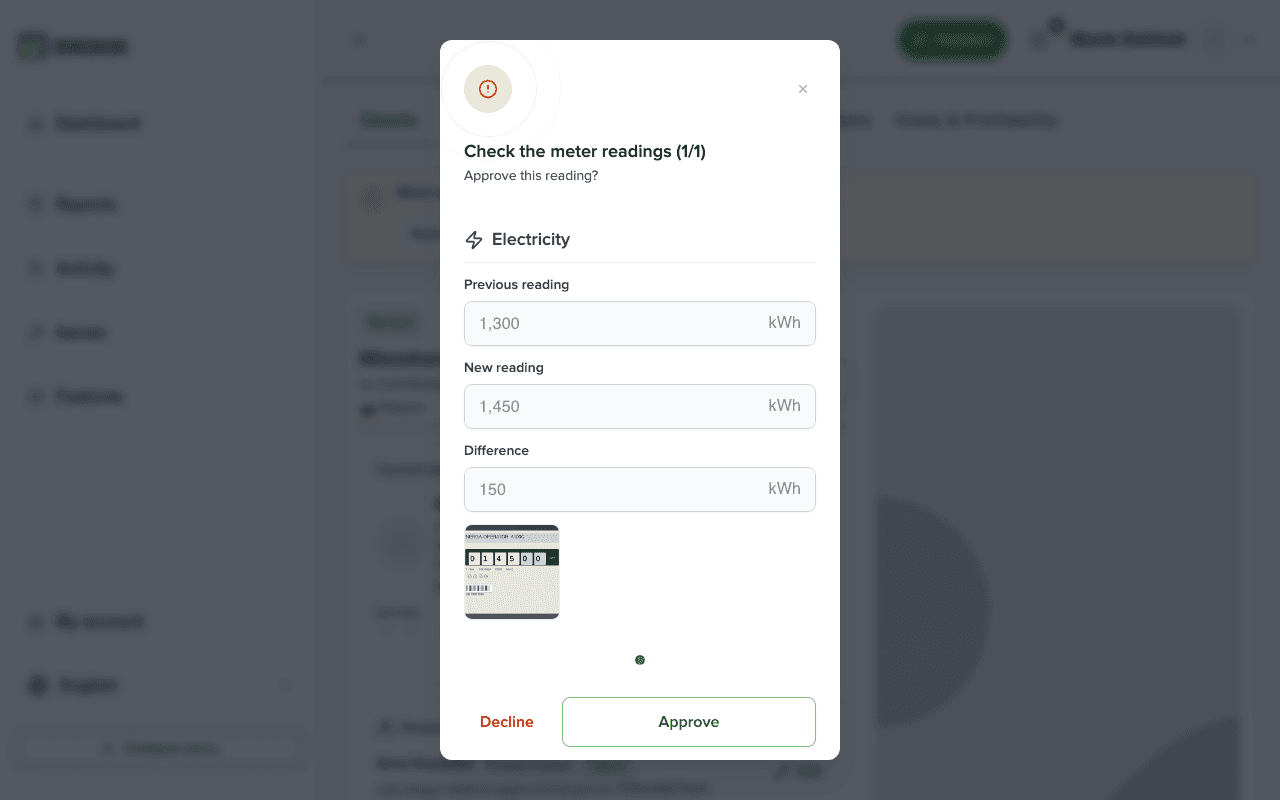
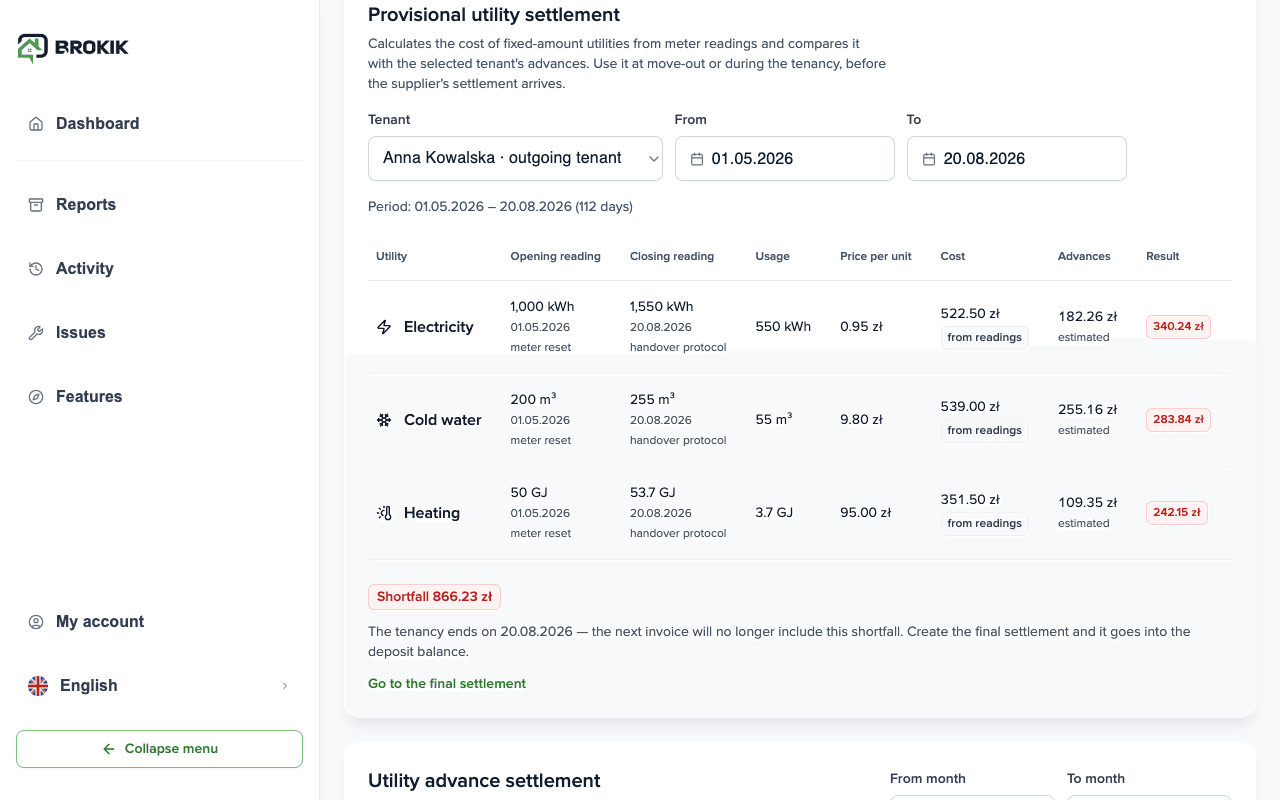
A tenant moves out in March and the supplier's annual settlement arrives in May. The deposit waits, the new tenant already lives there, and the bill later has to be split between two people and a vacancy.Set an advance with control readings: the tenant adds a reading with a photo every month. Brokik calculates a provisional settlement as of the move-out day and deducts the difference from the deposit. When the bill arrives, Brokik splits it between the previous tenant, the vacancy and the new tenant by the readings from the handover protocols.Create a manager account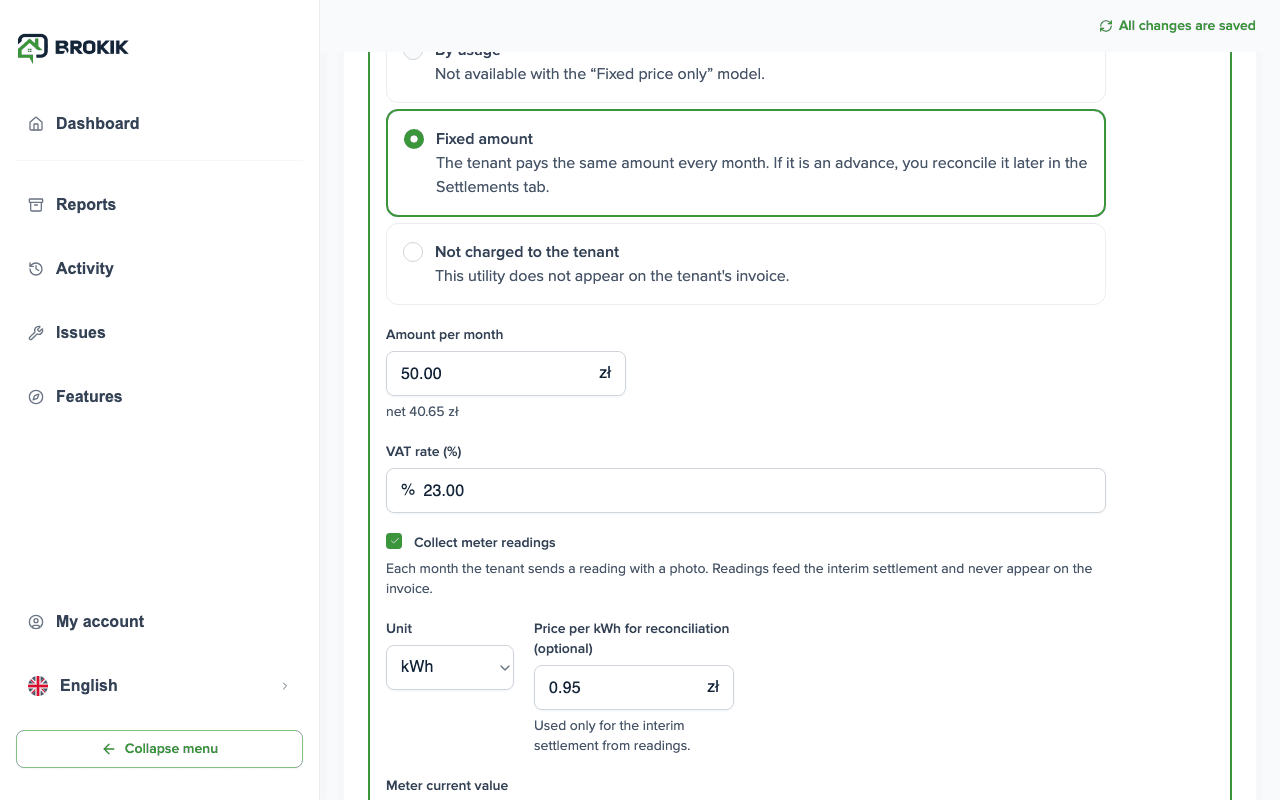
Want the full offer and pricing for managers?
The managers page shows what you do and what the owner sees, plus pricing by portfolio size.Frequently asked questions
The most common questions about how Brokik works for rental managers.Yes. Every view in these stories comes from the working Brokik app for managers — client records, prospects, settlements, invoices, and the owner portal.
The portal is optional. The basis is a client record you keep yourself. If you want, you can invite the owner to a read-only portal, within the scope you set.
In the settlement wizard you set the commission model (percentage, fixed amount, or both). Brokik calculates "rents − costs − commission", shows the amount to pay out, and issues a VAT invoice for the management service.
Create a manager account and add your first owner with a fee model. Then you assign their flats; you do not have to move all your data at once.