For Private Owners

Rental Management for Private Owners — 1 to 40 Units

For owners who rent out anything from one flat to 40 units themselves. You keep tenants, leases, rent, utilities and costs with each property, and choose the plan by the number of units.

Brokik dashboard: upcoming actions and your property list

From the first meter reading to the deposit refund

The same tools for one flat or forty: every property has its own tenants, documents, meters and settlements, and the property list shows the status of each one.

Every month: readings from the tenant, then the statement

Owner
  1. Sets the rent, fees, utility prices and the meter reading day once.
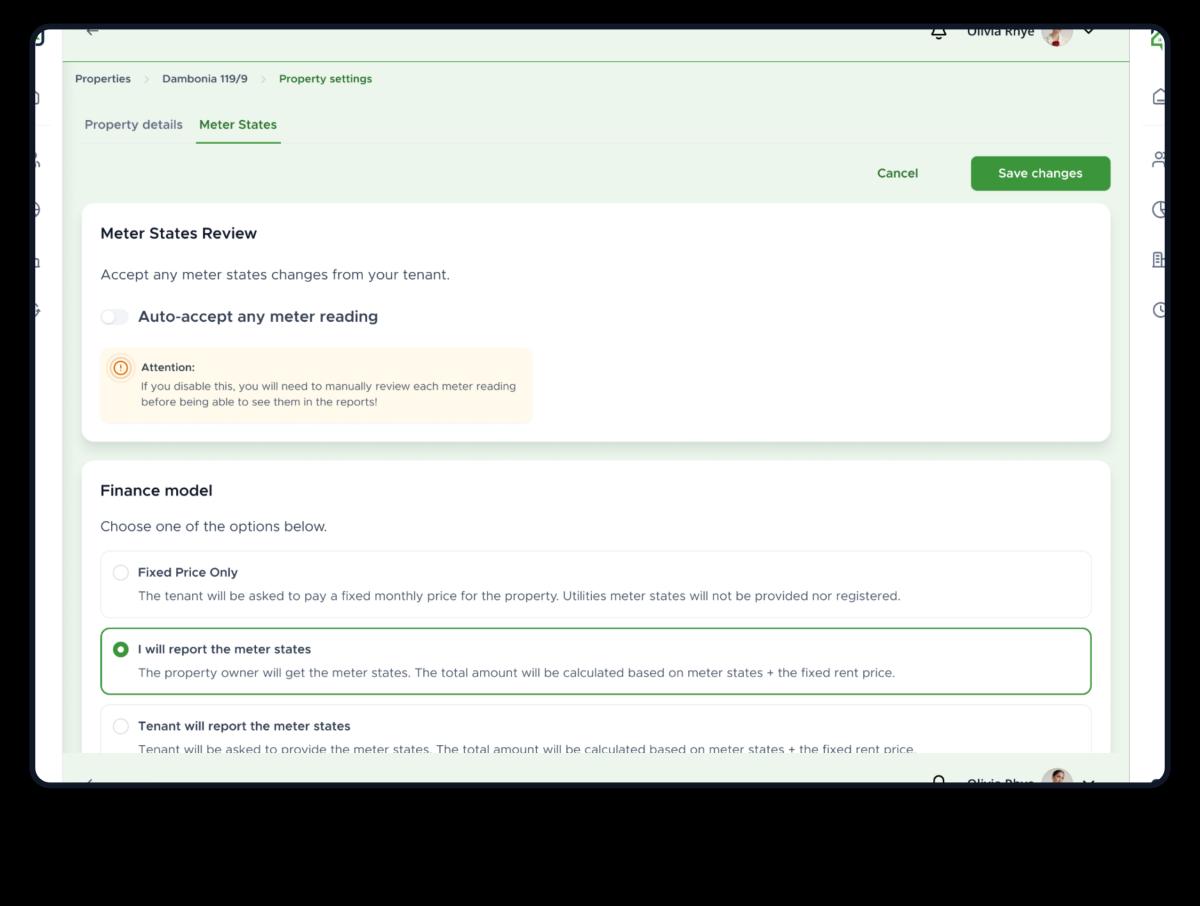
  2. Approves the readings or turns on automatic approval; once they are approved, Brokik issues the statement and sends it to the tenant.
  3. When a payment is late, gets an e‑mail asking whether it has arrived and marks it as paid from the link in that message.
Tenant
  1. Gets an e‑mail asking for the readings and enters them on a phone, without logging in, with an optional photo.
  2. Receives the statement with separate lines for the rent and for each utility.
  3. Gets reminders from 7 days before the due date until 14 days after it, until the payment is marked as paid.

When something breaks

Owner
  1. Gets an e‑mail with the title and description of the issue, and sees reports from all properties in the Issues list.
  2. Sets the status to In progress, Resolved or Rejected.
Tenant
  1. Reports the issue in the app with a title and a description.
  2. Gets an e‑mail every time the status changes.

What each property earns

Owner
  1. Sees the amounts due, paid and outstanding for every month in the Income report and exports it to a CSV file.
  2. Sees in Arrears & deposits who is behind and by how many days, and which deposits have arrived.
  3. Enters costs in the Costs & Profitability tab and sees the net monthly result and the break-even point.
Tenant
Nothing to doDoes not see the owner's income reports or costs.

End of the tenancy and the deposit

Owner
  1. Records the notice; Brokik reminds them when the final month begins and when the handover is due.
  2. Draws up the handover protocol with meter readings and keys and sends it for e-signature.
  3. Adds utilities, damages and refunds in the final settlement, then records the deposit refund.
Tenant
  1. Gets an e‑mail about the notice and when the final month begins.
  2. Signs the protocol electronically.
  3. If there is a balance to pay after the settlement, gets an e‑mail with the amount and the deadline.

How to start

Three steps from a new account to the payments report.

We cover lease signing, the handover protocol and utility billing on the rental management software page.

  1. Add a flat and invite the tenant

    Enter your property details and lease terms, then invite the tenant by email — they'll create their own free account and fill in their details.

  2. Set the rent and utilities

    Enter the rent and fees and choose how utilities are billed: a fixed price or meter readings on a day of the month you pick.

  3. Check Payments and Reports

    See which rent payments are paid and which are overdue, and review income, costs and profitability for each property. Download the income report as a CSV file.

Scenario

A new tenant: from invitation to the first rent payment

Owner
  1. Adds the property and invites the tenant by e-mail.
  2. Sets the rent and the due date; reminders to the tenant are on from the start.
  3. Checks in the dashboard which rent payments are paid and which are overdue.
Tenant
  1. Gets the invitation by e-mail and creates a free account.
  2. Fills in their details and sees the lease terms.
  3. Pays the rent and has access to their payment history.
Every step here is a Brokik feature available today.

Create an account and add your first flat

Manage your rentals with Brokik. You pay for a plan sized to your number of properties, with no commission on rent.