
For property managers
Import transfers from an MT940 statement
Upload a statement from your bank. The AI assistant matches incoming transfers to tenant statements, invoices and owner settlements, flags amount differences, and saves payments only after your approval.
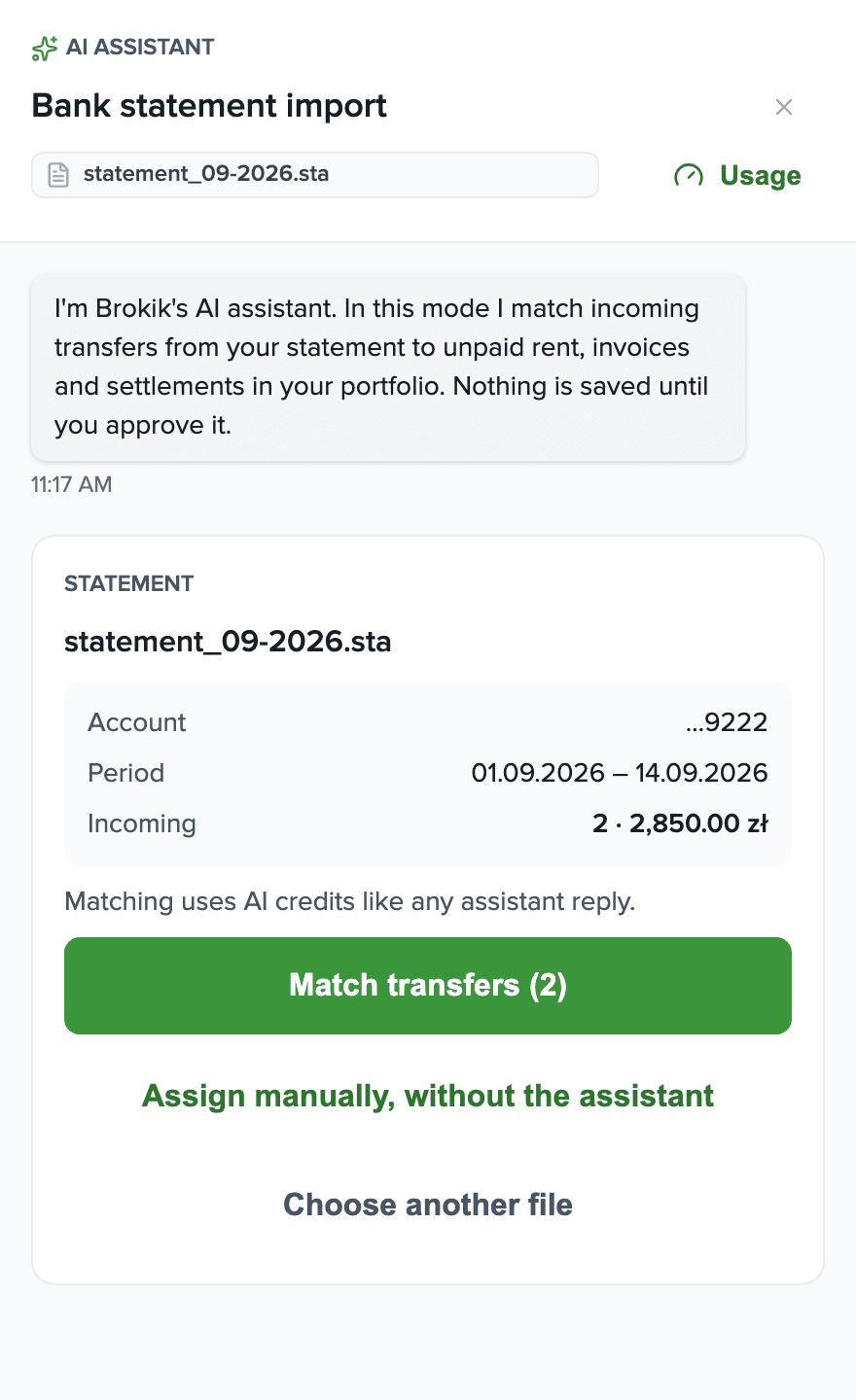
From a bank file to paid documents
Four screens: upload, preview, matching with differences, approval.You upload a file from your bank
In Settlements you choose “Import bank statement (MT940)” and add the file. Brokik reads only incoming transfers; debits are skipped.You check what is in the file
Account, period, count and total of incoming transfers. Transfers already uploaded before are recognized and not added again.The assistant matches and flags differences
Each matched transfer becomes a payment draft with a source: the file, the transfer number, the sender and the title. An amount that differs from the document is flagged and waits for your confirmation.You approve, and assign the rest manually
“Approve all” saves the ready payments. Transfers with no match you assign to a document or skip — for example a deposit or interest.
MT940 from any bank
Brokik reads the MT940 format itself, whichever bank issued the file. The whole transfer description goes to the assistant as the transfer title.
Your bank usually provides MT940 in business online banking, under account history, as an export for accounting software.How to download the file from your bank
Scenario
An agency with 38 units settles September
Property manager
- Downloads an MT940 statement from the bank for Sep 1–22 and uploads it in Settlements: 42 incoming transfers.
- The assistant matches 32 transfers; three differ from the document amount. The manager confirms two differences, and corrects the amount for an overpayment.
- Approves 29 payments with one button, assigns a transfer from the tenant's father manually, and skips a deposit and interest.
Tenant
Nothing to doPays by transfer as usual. Their statement in Brokik turns to paid.
Each of these steps is a feature available in Brokik today.
What the import never does
Four rules that hold on every account.
Never connects to your bankBrokik never gets your login or access to the account. It only reads the file you download and upload yourself.
Never saves without your approvalEvery match is a draft. A payment is saved only after “Approve” — one by one or with “Approve all”.
Never guesses at an amount differenceA transfer lower or higher than the document is flagged and excluded from “Approve all”. Overpayments are never recorded.
Never adds a transfer twiceThe same transfer from the same statement uploaded again is recognized and skipped.
AI creditsPrice includes VAT. Buy credits in the assistant panel (Usage) or in My account.
Matching a statement is one assistant reply and uses AI credits — the more transfers in the file, the more credits. Reading the file, manual assignment and approval are free.Limit: 60 messages a day per account.
In every plan
1,000 credits a month
From your first plan payment; unused credits don't carry over.Top-up
1,000 credits for £2.10
1 to 50 at a time, one-time payment. Purchased credits never expire.Frequently asked questions
From any bank that issues MT940 files. The whole transfer description goes to the assistant as the transfer title.
Log in to business online banking, open account history or statements, and choose an export in MT940 format — sometimes labeled “electronic statement” or “for accounting software”. The file usually has a .sta, .mt940 or .txt extension. A personal account may not offer this format.
No. The assistant prepares drafts, and a payment is saved only once you click “Approve”.
The draft is flagged “Amount differs” and is excluded from “Approve all”. A lower payment on a rent statement is saved as partial; an invoice or owner settlement is marked fully paid once you confirm the difference. Brokik never records an overpayment.
They stay on the “No match” list. You assign them manually to an unpaid document or skip them — for example a deposit or interest.
We recognize transfers already uploaded and don't create them again. If the whole file was already uploaded, you'll open the previous import.
Up to 300 incoming transfers in one import. Download a statement for a shorter period from your bank and upload it in parts.
Matching uses AI credits like any assistant reply. Reading the file, manual assignment and approval are free.
No. Brokik never connects to your bank and never asks for a login. It only reads the file you download from online banking and upload yourself.
Start with one statement
Create a property manager account, add units, and upload your first MT940 file from your bank.Your entire tenancy in one place
Manage your rentals more easily with Brokik - agreements, settlements and documents in one place.
© 2026 Brokik.com All rights reserved.